How to do a Sprint Retrospective with AI Agents
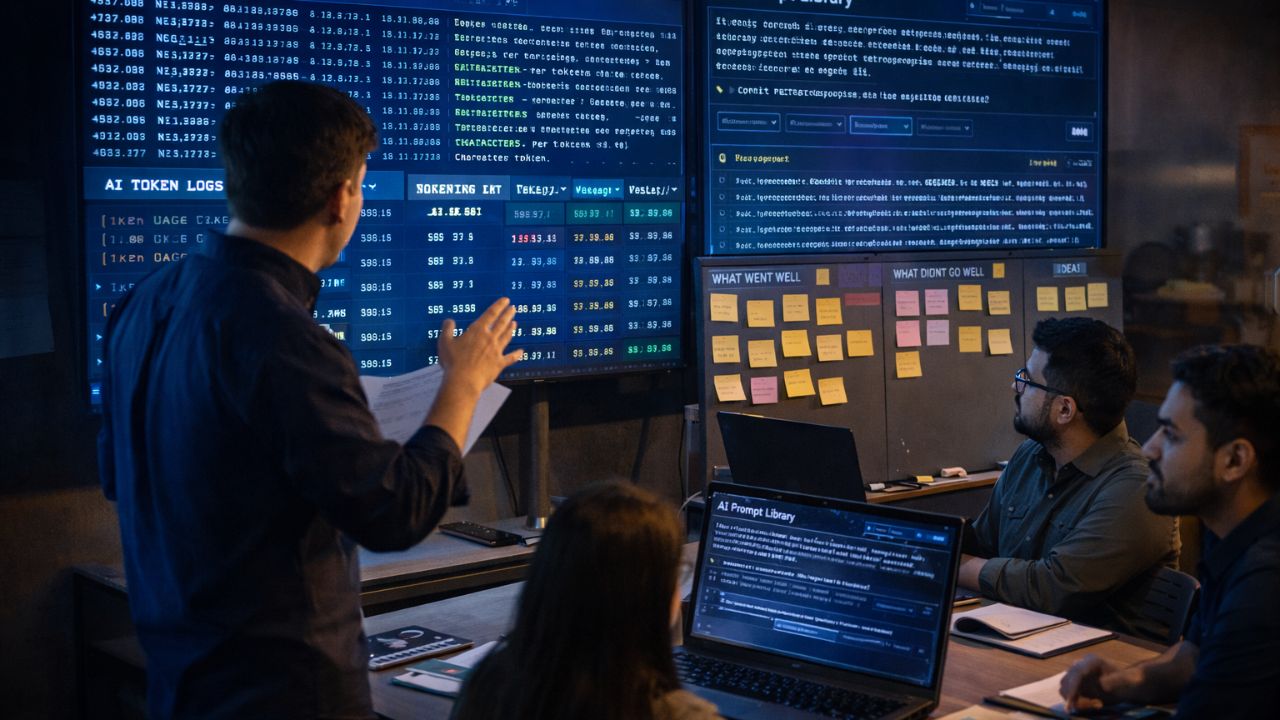
- A retrospective without analyzing your AI's token logs is just a complaining session.
- Teams must shift from merely discussing human team morale to systematically debugging agentic workflows.
- Master prompt library optimization; if an AI agent failed, the team must rewrite the system prompt to prevent future errors.
- Actively discuss mitigating AI burnout, as reviewing massive amounts of AI-generated code is mentally exhausting for human engineers.
- Seamlessly apply your newly tuned prompts directly into your next sprint planning session to ensure continuous algorithmic improvement.
The landscape of software development has permanently changed. If your organization is navigating How to Run Scrum When Half Your Team is AI Agents, you already know that legacy events fail when applied to bots.
Nowhere is this more evident than at the end of your sprint. Traditionally, the purpose of the Sprint Retrospective is to plan ways to increase quality and effectiveness.
Historically, this meant human developers sitting in a room, passing around sticky notes, and discussing communication breakdowns or team morale. But bots do not have feelings. They do not have communication breakdowns.
They have execution loops, hallucination errors, and API token limits. Mastering the AI augmented sprint retrospective requires a complete paradigm shift.
You must transform this event from an emotional reflection into a rigorous, data-driven system debugging session. This deep-dive guide will show you exactly how to review AI log files, optimize your prompt library, and improve human-AI collaboration for your next sprint.
The New Agenda of an AI augmented sprint retrospective
In your AI augmented sprint retrospective, you must systematically debug your agentic workflows. You cannot simply ask a generative AI model how it felt about the last two weeks.
Instead, human developers and the Scrum Master must analyze the digital footprint left by the autonomous bots. This requires a highly structured agenda focused on empirical data, prompt engineering, and human capacity protection.
Step 1: Analyzing Token Logs and API Burn Rates
A retrospective without analyzing your AI's token logs is just a complaining session. The very first item on your new retrospective agenda is a financial and technical audit. Autonomous agents consume compute power.
During the sprint, your bots executed thousands of automated tasks, consuming API tokens every second. The Scrum Master must present the token burn rate. Did the agents hit their infrastructure walls?
Did an agent get stuck in a recursive loop trying to fix its own code, burning hundreds of dollars in API costs in the process? Analyzing these logs provides total transparency into where the hybrid workflow is bleeding efficiency.
Step 2: Debugging the Agentic Workflow
How to debug an AI agent's workflow? You start by looking at the pipeline bottlenecks. Bots execute at exponential speeds, but they are entirely dependent on the quality of their instructions.
If an agent failed to deliver a usable component, the failure is not on the bot; the failure is on the human who wrote the initial prompt.
During the retrospective, the team must identify every instance where an AI agent's pull request was rejected by a human reviewer. You must trace that rejection back to the original Jira ticket and analyze the prompt that initiated the work.
The Science of Prompt Library Optimization in Agile
This brings us to the most critical new skill for modern Scrum teams. What is prompt library optimization in Agile? Prompt library optimization is the process of treating your AI instructions like a living, breathing codebase.
Rewriting the Rules of Execution
This event now involves prompt library optimization. If an AI agent failed to deliver a usable component, the team must rewrite the system prompt to prevent the error in the future.
For example, if an AI agent continuously generated database queries that ignored your company’s internal security protocols, you do not just delete the code. You open your central prompt library and engineer a strict negative constraint.
You explicitly update the prompt template to state: *"Never use SELECT *. Always explicitly name required columns and sanitize all inputs according to protocol X."*
By treating prompts as dynamic assets, you ensure your autonomous bots get smarter, safer, and more aligned with your architecture after every single sprint.
Closing the Feedback Loop
What is an agent-human feedback loop? It is the mechanism of taking these newly optimized instructions and feeding them back into the beginning of the Scrum cycle.
Once resolved, you apply these tuned prompts directly into your next ai augmented sprint planning session. This creates a flawless cycle of continuous algorithmic improvement.
Mitigating AI Burnout and Protecting Human Capacity
While optimizing the machine is crucial, you must also address the human element. A massive, often overlooked danger of hybrid Scrum teams is human cognitive overload. Why do human developers get burned out by AI?
The Exhaustion of Constant Code Review
Reviewing massive amounts of AI-generated code is mentally exhausting, and Scrum Masters must protect their human engineers from cognitive overload. When an AI agent writes code, it writes it instantly and flawlessly according to its own logic.
However, humans must read, comprehend, and validate that logic. Reading 5,000 lines of someone else's code (or a bot's code) is vastly more draining than writing 500 lines yourself.
During the retrospective, the Scrum Master must ask the human developers:
- Are you overwhelmed by the volume of pull requests?
- Is the AI generating too much boilerplate code that requires tedious manual checks?
Discuss Mitigating AI Burnout
Discuss mitigating AI burnout openly. If the human team is overwhelmed, you must scale back the agentic capacity for the next sprint. You must enforce strict limits on how many autonomous tasks can run concurrently.
If you ignore this human burnout, your developers will start rubber-stamping the AI's code without proper review, inevitably pushing critical vulnerabilities into your production environment.
How to Stop AI Agents from Hallucinating Code
One of the most common topics in a modern retrospective is error generation. How to stop AI agents from hallucinating code?
You stop hallucinations by leveraging the insights gained during the retrospective to tighten your “ready” state (Definition of Ready). Hallucinations almost always occur because the bot lacked sufficient context.
If the retrospective reveals that an agent hallucinated a completely fake API endpoint, the team must adapt. They must update their planning protocols to ensure that all actual, verified API documentation is automatically embedded into the prompt context window before the agent is allowed to begin work.
Metrics That Matter in an AI Scrum Retrospective
To run this event effectively, you must abandon story point velocity and focus on hybrid efficiency. What metrics matter in an AI Agile Retrospective?
- Compute Cost vs. Value Delivered: How much did the API tokens cost compared to the business value generated?
- Human Review Time: How long did human developers spend validating AI output? (If this number is rising, your prompts are failing).
- Prompt Rewrite Frequency: How many system prompts had to be updated during the retrospective? (A high number means your initial planning is too vague).
- Deviation Rate: How many times did the AI agent break its behavioral parameters and require emergency human intervention during the daily standups?
By tracking these specific metrics, your team transitions from guessing about productivity to scientifically orchestrating continuous improvement.
Summary
The Scrum framework is resilient, but it demands adaptation. Running an AI augmented sprint retrospective requires letting go of purely emotional team-building exercises and embracing the reality of managing non-human intelligence.
By actively analyzing token logs, ruthlessly optimizing your prompt libraries, and fiercely protecting your human engineers from cognitive burnout, you create a hybrid team that scales safely. Remember, a retrospective that doesn't debug the bot's instructions is a wasted opportunity.
Evolve your inspection processes, and your autonomous agents will evolve with you.

Frequently Asked Questions (FAQ)
You run a retrospective with AI agents by systematically debugging agentic workflows rather than just discussing human morale. Teams analyze AI token logs, identify execution bottlenecks, and optimize system prompts to ensure autonomous bots improve their accuracy and efficiency in the next sprint.
Prompt library optimization in Agile is the process of continuously refining the technical instructions given to autonomous bots. If an AI agent fails to deliver a usable component, the team rewrites the system prompt during the retrospective to enforce negative constraints and prevent future errors.
Human developers get burned out by AI because reviewing massive amounts of AI-generated code is mentally exhausting. Reading and validating complex logic generated by bots causes severe cognitive overload, making it crucial for Scrum Masters to pace agentic output with human review capacity.
You stop AI agents from hallucinating code by tightening your Definition of Ready and optimizing prompts during the retrospective. Ensuring that agents receive strictly defined context windows and exact API documentation prevents them from inventing logic to fill information gaps.
In an AI Agile Retrospective, traditional metrics are replaced by hybrid efficiency tracking. Important metrics include API token burn rate, human review time per pull request, the frequency of prompt rewrites, and the overall deviation rate of the autonomous bots.