Why GUI Coding Fails: Mastering Claude Code Terminal Agent Workflows
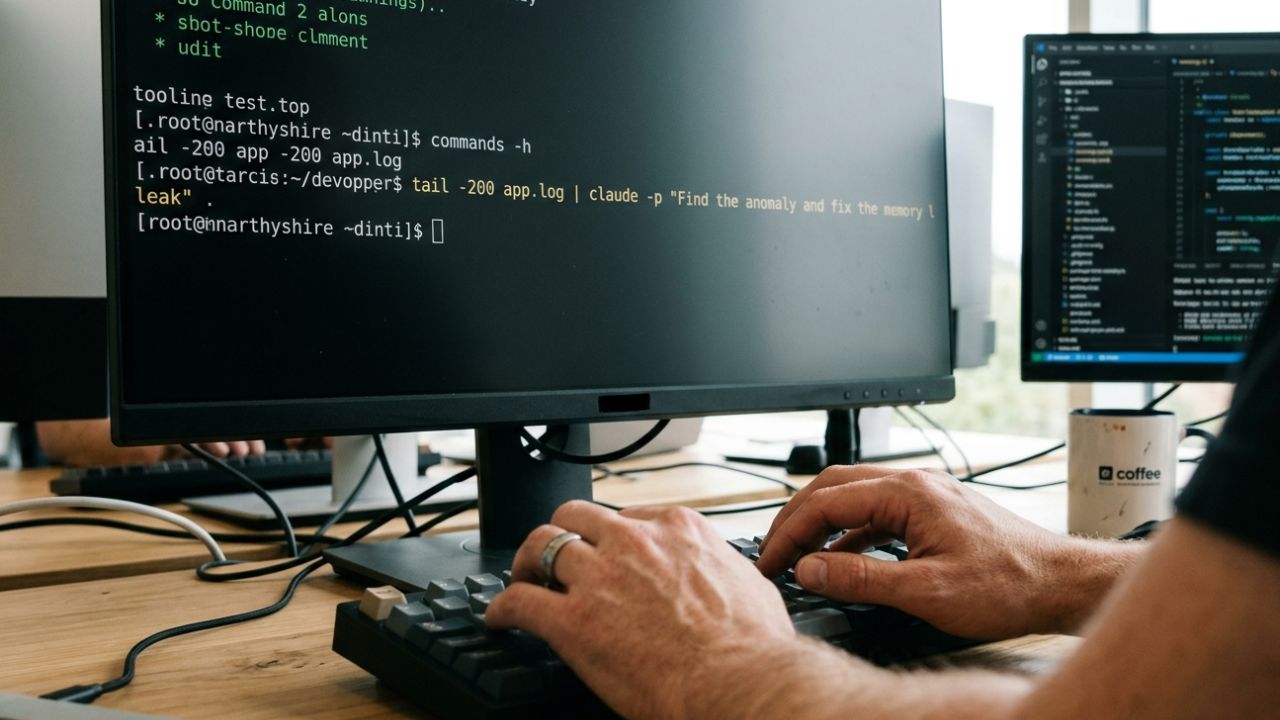
Executive Key Takeaways:
- The GUI Bottleneck: IDE-based AI assistants often force developers into inefficient, context-breaking copy-paste loops, whereas CLI agents operate directly where the code is built, tested, and executed.
- Autonomous Execution: Claude Code terminal agent workflows allow engineers to pipe live logs directly into the LLM, enabling automatic debugging, self-healing tests, and rapid infrastructure deployment.
- Deep Context Mapping: By living natively in the terminal, these agents read entire codebase states, manage Git branches dynamically, and utilize the Model Context Protocol (MCP) to interact with enterprise databases.
- Pipeline Integration: DevOps teams are radically accelerating release cycles by chaining CLI agents with automated PR reviews in headless CI/CD environments.
The rapid transition to AI-assisted software engineering has largely been dominated by convenient chat windows embedded inside popular IDEs like VS Code and Cursor. While these graphical user interfaces (GUIs) are phenomenal starting points—especially for junior developers learning syntax—they are rapidly exposing their limitations.
In modern enterprise environments, these GUI tools quickly become severe bottlenecks for senior engineers managing complex, multi-repository deployments. True engineering velocity requires integrating Artificial Intelligence directly into the command line, shifting the paradigm from passive code assistance to active, agentic execution.
To fully understand why this architectural shift is mandatory for competitive engineering teams, you must contextualize it within the broader Agentic AI SDLC and Agile transformation.
Chatting with an AI to generate a boilerplate React component is undeniably useful. However, commanding an AI to autonomously diagnose a broken CI/CD pipeline, rewrite the failing integration tests, and push the verified commit is revolutionary. This comprehensive guide explores exactly why GUI coding is hitting its ceiling, and unpacks the elite Claude Code terminal agent workflows that top-tier DevOps teams are currently leveraging to deploy infrastructure at 10x speed.
The Fundamental Limitations of IDE Chatbots
GUI-based AI tools are inherently constrained by the visual boundaries of the editor's environment. They rely heavily on the human developer to manually highlight context, copy dense error messages, and guide the AI step-by-step through a localized problem.
Why Senior Engineers are Abandoning GUIs:
- Context Switching Latency: Constantly switching between a failing terminal process, a browser window for documentation, and a tiny IDE chat panel fundamentally breaks a developer's flow state.
- Lack of Execution Power: Most popular GUI assistants can write functional code, but they fundamentally cannot execute shell scripts, trigger Docker container rebuilds, or run vast end-to-end test suites. They are observers, not operators.
- Manual Orchestration Overhead: The human developer remains the manual orchestrator, pulling generated code from the AI interface, pasting it into the correct file, and praying it aligns with the broader architecture.
Mastering Claude Code Terminal Agent Workflows
Anthropic’s Claude Code fundamentally changes this dynamic. As an agentic tool engineered to live directly in your terminal, it doesn't just passively suggest code snippets; it possesses the semantic understanding to execute them safely within your environment.
The most powerful Claude Code terminal agent workflows involve leveraging the Unix philosophy: piping standard system commands directly into the AI for analysis and action. Because Claude Code is a CLI citizen, it is infinitely composable.
High-Velocity CLI Examples for DevOps:
1. Autonomous Log Analysis & Patching:
Instead of manually parsing thousands of lines of stack traces, elite engineers pipe them directly into the agent for immediate remediation.
tail -n 500 /var/log/nginx/error.log | claude -p "Diagnose the 502 Bad Gateway anomalies and rewrite the upstream proxy config to resolve the memory leak."2. Bulk Architectural Code Reviews:
Ensure massive pull requests adhere to enterprise standards before they even reach a human reviewer.
git diff origin/main --name-only | claude -p "Review these specific changed files against our internal OWASP security guidelines and flag critical vulnerabilities."3. Autonomous Refactoring Loops:
Command the agent to update deprecated dependencies across an entire monorepo, automatically run the test suite, and iterate recursively until all unit tests pass.
claude -p "Upgrade React to v19 across all packages. Run 'npm test'. If any test fails, analyze the output, fix the breaking change, and re-run until successful."Claude Code vs. Aider: The Enterprise Choice
When discussing the ecosystem of terminal agents, the conversation inevitably turns to Aider, the highly acclaimed open-source alternative. While both tools are exceptionally powerful, they serve vastly different enterprise needs and architectures.
Aider is celebrated for its incredible efficiency. It utilizes fewer tokens, operates with a Git-first mentality, and offers immense flexibility across multiple underlying LLM providers (including GPT-4o, DeepSeek, and Claude). It is the perfect tool for strict, cost-controlled environments or solo developers moving quickly.
However, Claude Code excels remarkably in deep, autonomous architectural planning. Because it is deeply integrated with Anthropic's reasoning models, it is uniquely capable of breaking complex, ambiguous tasks into logical multi-step operations. It handles cross-file dependencies seamlessly and manages extensive context windows without "forgetting" the original intent.
For enterprise DevOps teams tackling massive legacy refactors, Claude Code’s superior first-pass success rate and advanced tool-use capabilities often heavily justify its higher token consumption.
Automating CI/CD Pipelines with Headless Agents
The true, explosive ROI of CLI agents is realized when they are integrated seamlessly into automated deployment pipelines. You are no longer just writing code; you are actively orchestrating intelligent system architecture.
By utilizing custom tool hooks and the Model Context Protocol (MCP), Claude Code can interface directly with Jira to update ticket statuses, read deeply technical architecture docs stored in Google Drive, or pull real-time incident data from Slack.
Forward-thinking DevOps engineers are now scheduling recurring, autonomous terminal tasks. Imagine a headless overnight agent that automatically analyzes intermittent CI build failures, patches the underlying infrastructure-as-code (Terraform/Ansible) scripts, and queues the verified fixes by chaining CLI agents with automated PR reviews.
By the time your engineering team logs in the next morning, the pipeline is glowing green, and the team merges the secure code without lifting a finger.
Conclusion: The Terminal is the Future of AI
Graphical interfaces are comfortable, but the command line is where true engineering scale and automation are achieved. By mastering Claude Code terminal agent workflows, your team can definitively bypass the sluggish limitations of chat-based IDEs and embrace the future of autonomous infrastructure management.
It is time to stop treating AI as a glorified autocomplete tool. Start strategically integrating these powerful CLI agents into your daily Git workflows, experiment with piping live system logs directly into the model, and watch your organization's deployment velocity skyrocket.
Frequently Asked Questions (FAQ)
What exactly are Claude Code terminal agent workflows?
They are highly automated, command-line sequences where Anthropic's CLI-based AI agent interacts directly with your local codebase, file system, and shell. These elite workflows include piping raw error logs for autonomous debugging, executing vast multi-file refactors, and managing Git branches entirely through natural language commands inputted in the terminal.
How do you securely set up Claude Code in an enterprise CLI environment?
Enterprise setup requires installing the CLI tool globally via npm and authenticating securely via the terminal. Crucially, enterprise teams should heavily utilize a CLAUDE.md file in the project root to define strict internal coding standards, architectural rules, and preferred libraries, ensuring the autonomous agent strictly adheres to corporate compliance guidelines.
Can Claude Code execute shell commands autonomously without human input?
Yes, Claude Code possesses the capability to access your terminal environment to run build tools, package managers, and test suites. However, robust enterprise workflows heavily utilize its built-in safety checkpoints and tiered approval modes, which perfectly balance autonomous execution with mandatory human approval for any destructive or mutating commands.
What is the core technical difference between Claude Code and Aider?
While both are highly capable terminal agents, Aider is a versatile open-source tool that supports various models (GPT-4o, Gemini) and is exceptionally token-efficient for rapid edits. Claude Code is proprietary to Anthropic, utilizes significantly more tokens for deep autonomous architectural planning, and generally achieves a noticeably higher first-pass success rate on complex, multi-file enterprise refactoring.
How can teams automate CI/CD pipelines using Claude Code?
DevOps engineers can run Claude Code in a headless, non-interactive state within GitHub Actions or GitLab CI/CD. By strategically piping commands (e.g., claude -p 'review this PR for OWASP security flaws'), you can automate complex issue triage, strictly enforce coding standards, and dynamically generate highly accurate release notes automatically during the build process.