Miro vs. The Whiteboard: The Ultimate Tech Stack for Hybrid Sprint Planning
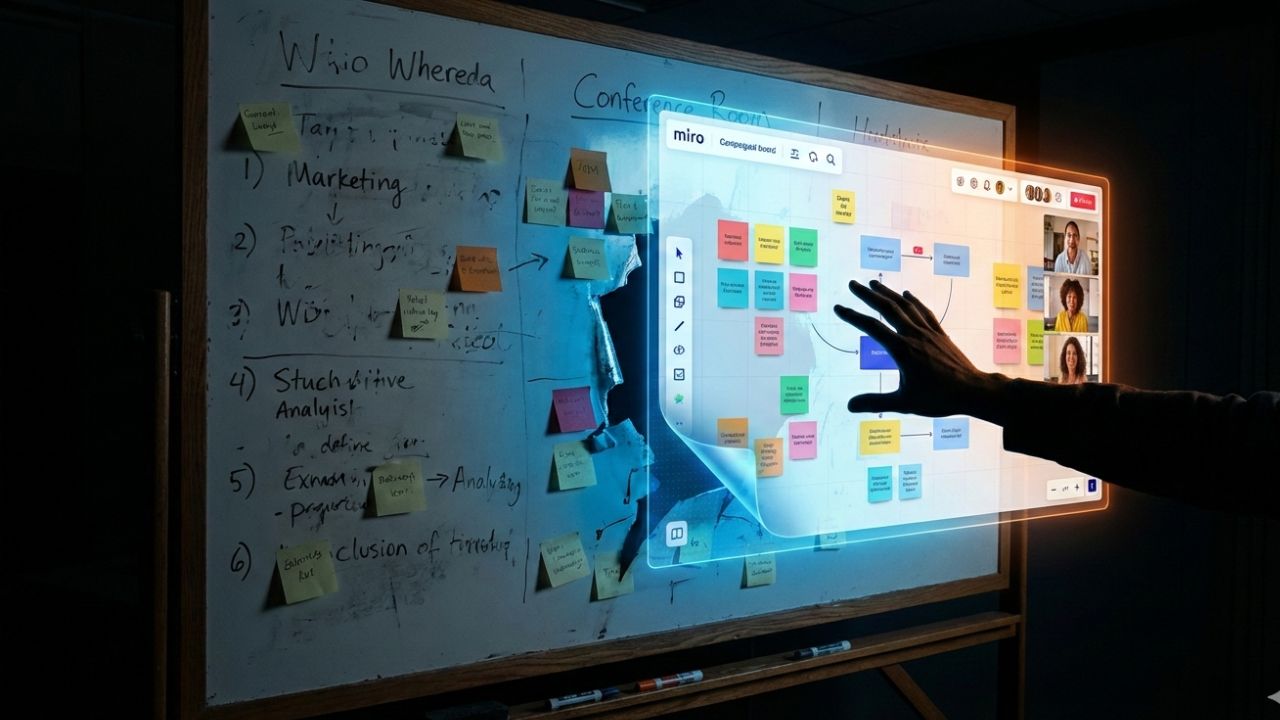
- The "Phygital" Friction: Using a physical whiteboard in a hybrid meeting creates "second-class citizens" out of remote participants.
- The Verdict: Digital whiteboards (Miro, Mural) are no longer optional; they are the central source of truth.
- Hardware Matters: Software isn't enough. You need 360-degree cameras and specialized audio to bridge the gap.
- Integration: If it doesn't sync with Jira two-way, it doesn't belong in your stack.
The End of "Can You Read That Sticky Note?"
We have all been there.
You are dialing into a Sprint Planning session from home.
The in-office team is gathered enthusiastically around a physical whiteboard.
Someone writes a critical user story in red marker. You squint at your screen, but all you see is the glare of the fluorescent lights.
You are effectively excluded from the planning process.
To truly fix this, leaders must move beyond simple mandates and upgrade their infrastructure. This article is a deep dive into the tooling layer of our broader guide: The "3-2" Hybrid Model is Dead: Why Leaders Are Rethinking the Return to Office.
If you are trying to lead a modern team with legacy tools, you are fighting a losing battle.
Here is the ultimate tech stack to make hybrid Sprint Planning seamless.
The Digital Whiteboard: The New "Center of Gravity"
In 2026, the physical whiteboard is a relic.
For hybrid teams, the "board" must exist in the cloud, accessible equally to the person in the conference room and the developer in Goa.
Miro vs. Mural: The Titans
Miro remains the industry darling for good reason. Its infinite canvas and robust template library make it ideal for:
- User Story Mapping
- Retrospectives
- Technical Architecture Diagrams
Mural is a close competitor, often favored by enterprise clients for its strict privacy controls and facilitation features.
The Verdict? It rarely matters which one you pick, as long as you pick one.
The goal is to ensure that collaboration happens on the screen, not on the wall.
ClickUp & The "All-in-One" Contenders
Tools like ClickUp are blurring the lines.
They offer built-in whiteboards that sit directly next to your tasks.
This reduces context switching, but often lacks the deep design features of a dedicated tool like Miro.
The Hardware Bridge: Stop Hiding the Room
Software is only half the battle.
If your remote team feels like they are watching a surveillance feed of a conference room, engagement drops.
The 360-Degree Camera
Standard webcams at the front of the room are insufficient.
They capture the long table, but they miss the facial expressions and body language that drive consensus.
The Solution: Tools like the Meeting Owl or Logitech Sight.
These sit in the center of the table.
They use AI to automatically zoom in on whoever is speaking.
This gives remote participants a "seat at the table."
Audio: The Unsung Hero
Bad video is annoying; bad audio is a meeting killer.
If your remote team hears echoes or crinkling chip bags instead of the Product Owner, they will tune out.
Invest in daisy-chained microphones that cover the entire room, not just the area near the laptop.
Integration: The Jira Lifeline
A pretty whiteboard is useless if the data dies there.
Your hybrid planning stack must integrate with your execution tools.
Two-Way Sync is Non-Negotiable.
- Miro to Jira: You should be able to turn a sticky note into a Jira ticket instantly.
- Jira to Miro: Existing tickets should be importable as cards for estimation.
If you have to manually copy-paste text from a whiteboard to a ticket, your process is broken.
A Note on Culture vs. Tools
Buying Miro licenses won't fix a broken culture.
If your team is suffering from meeting overload, no tool will save you.
Tools are great, but only if you have the right communication culture. Stop the Zoom Fatigue: The Leader's Guide to Asynchronous Communication.
Frequently Asked Questions (FAQ)
No. This is the fastest way to alienate remote employees.
The resolution is rarely high enough to read text, and the "physically present" people will inevitably block the view.
It signals that remote participants are an afterthought.
Miro has a "freemium" model, but enterprise features (SSO, advanced privacy, Jira integration) require paid subscriptions.
For serious Agile teams, the free version usually lacks the necessary integrations.
Google Jamboard (software) was a common entry-level option, though it is being sunset.
Microsoft Whiteboard is a strong, often free alternative for teams already in the Office 365 ecosystem.
FigJam is excellent if your design team already uses Figma.
Conclusion
Hybrid Sprint Planning does not have to be a struggle.
By moving the "center of gravity" from the physical wall to the digital canvas, you level the playing field.
The right stack (Miro/Mural + Smart Cameras + Jira) removes the friction.
It allows your team to focus on the code, not the connectivity.
References
- Atlassian. (2025). State of Teams Report: The Future of Hybrid Collaboration.
- Harvard Business Review. (2024). How to Make Hybrid Work Actually Work.
- Gartner. (2025). Market Guide for Visual Collaboration Applications.