Gamma AI Review: The Death of PowerPoint?
Quick Verdict: Gamma AI
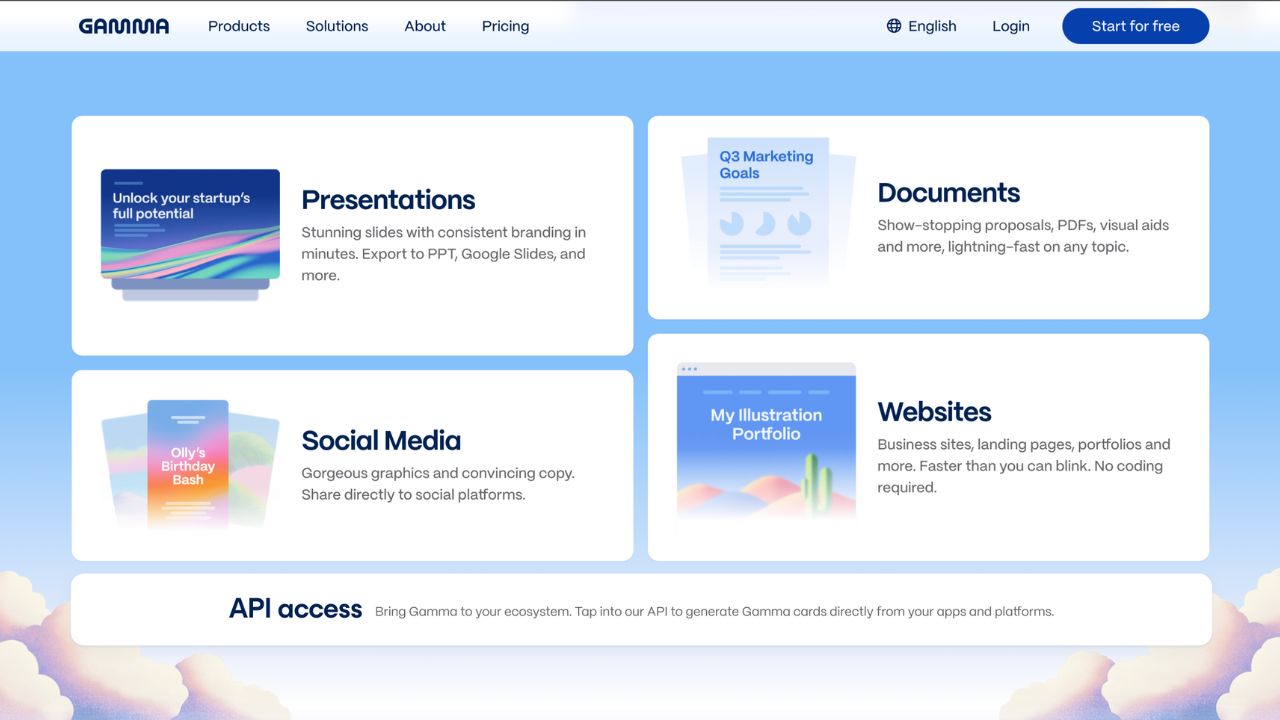
Gamma is the "Canva" of presentations but smarter. It allows you to create entire decks from a single prompt in seconds. While it lacks the pixel-perfect control of PowerPoint, its speed and design aesthetics make it a game-changer for 90% of business needs.
For decades, we have been trapped in "slide purgatory"—formatting text boxes, aligning images, and fighting with templates in PowerPoint and Google Slides. Gamma AI proposes a new medium: a fluid, web-first canvas that uses generative AI to do the heavy lifting. I tested Gamma extensively to see if it’s just hype or if it can truly replace the tools we've used for 30 years. The result? It's the fastest way to get from an idea to a finished, presentable deck I have ever seen.
I. Key Features That Set Gamma Apart
Gamma doesn't just "add AI" to a traditional slide interface; it rethinks the format entirely using "Cards" rather than rigid slides. Here is what makes it unique:
Type a topic like "Q4 Sales Strategy" or paste your entire notes. Gamma generates a detailed outline and builds the full deck with images and text in under a minute.
Never format a slide again. Click a new theme, and the entire deck restyles instantly—fonts, colors, and layouts adapt automatically to look professional.
Gamma decks are web-native. You can embed live websites, Typeforms, YouTube videos, and even Airbnb listings directly into the cards.
Universal Export: While Gamma shines as a web link, it understands the corporate world. You can export your creations to PDF or editable PowerPoint (.pptx) files, allowing you to present offline or share with colleagues who stick to traditional tools.
II. Pros and Cons of Gamma AI
Pros
- Speed to V1: Reduces the time to create a "first draft" by 90%. Great for brainstorming and outlines.
- Beautiful Design: Impossible to make "ugly" slides. The constraints ensure good typography and spacing.
- Flexible Input: You can paste an entire document, and it will summarize and paginate it into slides automatically.
- Web Interactivity: Unlike static PDFs, Gamma links allow viewers to scroll, click, and interact with embeds.
Cons
- Limited Precision: Hard to move an image "5 pixels to the left." You are trading control for speed.
- The "Gamma Look": Frequent users can spot a Gamma deck because the layouts, while pretty, can feel repetitive.
- Export Hiccups: Exporting complex interactive cards to PowerPoint sometimes results in static images or broken layouts.
- Credit System: Heavy AI usage on the free plan burns through credits quickly.
III. Gamma Pricing: Credits vs. Unlimited
Gamma operates on a "freemium" model using credits for AI generation. The Free plan is excellent for occasional users, while professionals will want the Plus or Pro tier for unlimited AI access.
| Plan | Monthly Cost | Best For | Action |
|---|---|---|---|
| Free | $0 | New Users | Sign Up → |
| Plus | $8/user | Creators | Get Plus → |
| Pro | $15/user | Power Users | Get Pro → |
IV. Gamma AI Alternatives
While Gamma is a leader, it's not the only player. Depending on your specific needs, you might consider these alternatives:
- Beautiful.ai: Good for strict branding, but Gamma is significantly faster for drafting. Try Gamma instead.
- Tome: Gamma's closest rival. Focuses heavily on "storytelling" and arguably has more artistic, abstract AI image generation.
- Plus AI: Best if you refuse to leave Google Slides. It works as an extension inside Google Slides, so you get native editable slides immediately.
V. Frequently Asked Questions (FAQs)
Q: Is Gamma compatible with PowerPoint?
A: Yes. You can export any Gamma deck to a `.pptx` file. Text usually remains editable, but complex web layouts may be converted into static images to preserve the design.
Q: Can I use my company's custom fonts and colors?
A: Yes, but this feature is gate-kept behind the Pro plan. The Free and Plus plans rely on Gamma's built-in (though extensive) theme library.
Q: Is my data used to train their AI?
A: Gamma states that they do not use private user data to train their public AI models. However, for strict enterprise compliance (SOC2), you should look at their Enterprise/Business tier.
Sources and Reference Links
Stop Fighting with Text Boxes
Focus on your ideas, not the font size. Create a presentation in minutes that looks like it took hours.
START CREATING FOR FREE