Prezi AI Review: The Cure for "Death by PowerPoint"?
Quick Verdict: Prezi AI
Prezi AI is the perfect antidote to boring slides. By combining generative AI with its signature "Zooming UI," it allows you to turn documents into dynamic visual stories in minutes. It is a must-have for remote presenters and keynotes.
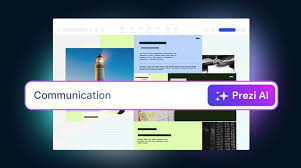
We've all suffered through "Death by PowerPoint"—linear, static slides that lull audiences to sleep. **Prezi** disrupted this years ago with its "Moving Canvas" approach, and now, with **Prezi AI**, they have removed the complexity of building it. Instead of manually dragging circles and paths, you simply upload a Word doc or type a prompt, and the AI builds a structured, zoomable presentation for you. Coupled with **Prezi Video**, which lets you appear on-screen alongside your content in Zoom or Teams, it is arguably the most engaging presentation tool for the remote work era.
I. Key Features That Make Prezi AI Unique
Prezi focuses on "Spatial" relationships between ideas, rather than a linear list of bullet points.
Stop fighting with layout. Upload your outline, script, or a PDF, and Prezi AI automatically organizes it into "Planets" (topic clusters) and "Sub-planets," creating a logical visual hierarchy instantly.
The "Weatherman Effect." Prezi Video overlays your graphics onto your live webcam feed. You don't have to hide behind a "Share Screen" button; you stay visible, maintaining eye contact and engagement.
Adapt on the fly. Because Prezi uses a canvas, you can jump to any section based on audience questions. "You want to hear about Pricing first? Let's zoom there." No more frantically skipping 20 slides.
Visual Stories: Prezi AI can instantly transform a block of boring text into a "Visual Story"—automatically converting it into a flow chart, a visual list, or a timeline with just one click.
II. Pros and Cons of Prezi AI
Pros
- Engagement King: Research shows Prezi presentations are more memorable and persuasive than traditional slides due to the visual movement.
- Remote Meeting Power: Prezi Video is a game-changer for sales calls and webinars, making you look like a pro broadcaster.
- Smart Structure: The AI is excellent at breaking down complex documents into digestible, nested hierarchies.
- Analytics: Paid plans offer analytics to see which parts of your presentation viewers zoomed into and spent the most time on.
Cons
- Motion Sickness: If not designed carefully, the constant zooming and panning can make some audience members feel dizzy.
- PDF Export Issues: Because Prezi relies on motion, exporting to a static PDF often loses the context and magic of the presentation.
- Learning Curve: Thinking in "Spatial" terms is harder than thinking in "Slides." It takes time to unlearn PowerPoint habits.
- Mobile Editing: While viewing is fine, creating or editing complex Prezi canvases on mobile devices is difficult.
III. Prezi Pricing: What Does It Cost?
Prezi offers a free entry point, but professionals will need the Plus or Premium plans for privacy and advanced features.
| Plan | Monthly Cost (Annual) | Best For | Key Features/Limits |
|---|---|---|---|
| Basic | $0 | Students | Create up to 5 projects. Presentations are PUBLIC. Limited AI. No offline access. |
| Plus | ~$15/mo | Individual Pros | Unlimited projects. Privacy control. Offline access. PDF Export. Premium Images. |
| Premium | ~$25/mo | Consultants | Advanced Analytics. Presenter Notes. Smart Branding. Phone Support. |
| Teams | ~$39/user/mo | Sales Teams | Collaboration features. Admin controls. Centralized billing. Slack integration. |
IV. Prezi Alternatives: How Does It Compare?
Prezi is unique, but linear tools have their place too:
- Gamma: The best alternative for speed. If you just want to turn a document into a readable deck or webpage quickly without the "zoom" effects, Gamma is faster and easier.
- Canva: Best for design-heavy, static slides. If you need total control over every pixel and vast stock asset libraries, Canva is the leader.
- PowerPoint Copilot: The enterprise standard. If your company requires .pptx files and strict corporate templates, sticking with Microsoft's ecosystem is often safer, even if less exciting.
V. Frequently Asked Questions (FAQs)
Q: Is Prezi compatible with Zoom and Teams?
A: Yes! You don't even need to share your screen. You can select "Prezi Video" as your webcam source in Zoom, Teams, or Google Meet, and your presentation will appear floating next to you in your video feed.
Q: Can I import my old PowerPoints?
A: Yes. Prezi has a "PowerPoint Converter" feature. You can upload a .pptx file, and Prezi will attempt to spatialise it, turning slides into zoomable topics. It works well for text, though complex animations may need rebuilding.
Q: Does the AI write the content for me?
A: Prezi AI acts more as a designer and structural editor. You provide the raw ideas or text, and it builds the visual flow. It can help rewrite bullet points to be punchier, but you should bring the core subject matter expertise.
Sources and Reference Links
Break Free from Slides
Captivate your audience with motion and story. See why millions use Prezi to stand out.
TRY PREZI AI FREE